
My car, a laboratory on wheels
During my time in Madisa I converted my own car into an electronics and computer laboratory. The workshop had a door that led to a large patio and garage, and there, in my free time, I installed a computer in my car. I wanted to bring together music, a touch screen and various control functions in a system I built, long before large screens and voice assistants became common in vehicles.
The project was explained on a website that I titled "How to install a PC in a car." The page is dated October 12, 2003 and is preserved in Internet Archive since at least January 30, 2004; The later copy includes an update from February 7, 2005. I published the process step by step, with photographs, components, difficulties and modifications. Through that website I was contacted by people from the peninsula interested in doing something similar to their cars.
From POS to car roof
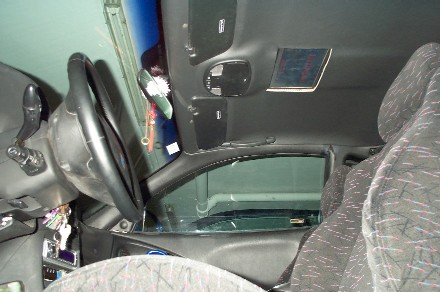
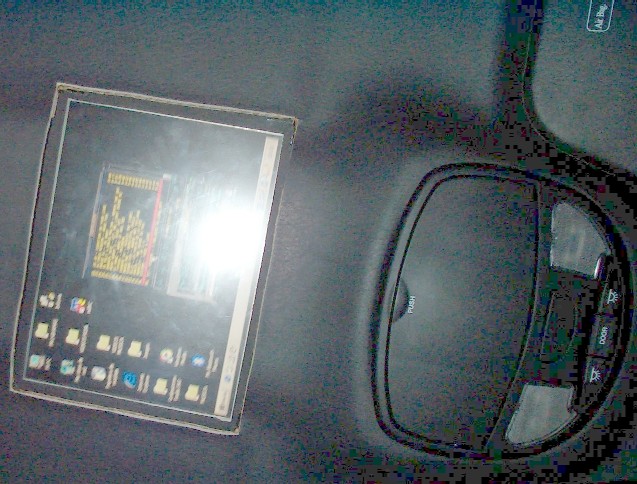
The screen was made from touch components recovered from the POS equipment that we repaired in Madisa. I adapted an ELO Touch glass and its controller to a TFT monitor, dismantled the roof lining and prepared the hole, the frame and the cable passage. The setup evolved: the first explanation showed a fifteen-inch TFT and the second page documented a smaller screen. The touch screen had to be calibrated and the resolution and size of the buttons adjusted to make the interface accessible.
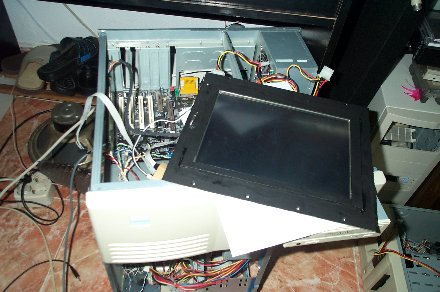
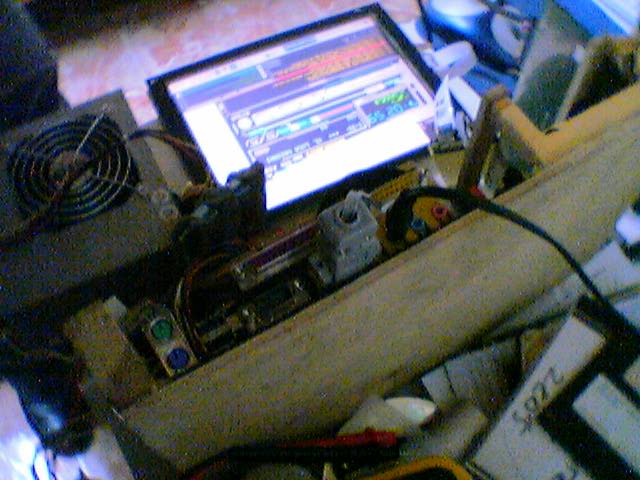
The computer was in the trunk, inside a box adapted to the available space. The installation included a hard drive, DVD reader, Sound Blaster Audigy sound card and wiring to the screen and audio equipment. I also reviewed the power supply, until incorporating a twelve-volt ATX power supply. The photographs preserve that evolution, from the tower and connection tests to a more compact box. I worked with Windows and I also had a Linux installation on another partition.
Request music from the computer with your voice
The part that fascinated me the most was being able to talk to the computer. By combining IBM VoiceType with Slave I managed to create a kind of voice assistant for the car: It recognized the instructions you had set and performed actions, such as selecting music. On the original website it already mentioned Esclavo 1.2.20 and the tests with a microphone placed on the ceiling. The orders had to be prepared and linked to the player so that the system could choose the songs or lists that were requested. It was the year 2003. Seen today, it was my first practical approach to artificial intelligence applied to device control, through speech recognition and programmed actions.
Serial ports expanded the possibilities beyond music. One was occupied by the touch screen and another allowed experimenting with switches and commands on elements of the car, such as the windows and lights. The website collects this line of tests with instructions such as raising or lowering a window. I also used Bluetooth and Bemused to explore computer control from a Nokia 7650, bringing phone, audio and PC together in one setup.
GPS, maps and a Wi-Fi connection
I added a GPS receiver and programs with road maps. With that system I toured the peninsula and verified its usefulness in real trips. The Wi-Fi card offered another then-uncommon possibility in a car: connecting to the Internet when I was within range of a network I could access. Connection depended on finding a nearby access point; The maps installed on the computer made it possible to take advantage of navigation without depending on that connection.
PC-COCHE brought together much of the knowledge that I was acquiring in Madisa: recovering components, soldering, solving the power supply, integrating programs and making different devices understand each other. He also taught me to explain a project on a website so that other people could follow him. Years later I would encounter those same questions again when mounting cameras, transmitters and controllers on my aircraft.
PC-COCHE · Original website archived on January 30, 2004 ↗PC-CAR · Copy archived on February 10, 2005 ↗IBM · History of speech recognition and VoiceType ↗Return to tour ↑